
Fr Simon's Unofficial Remote2.0 - Google Play
You'll be able to see results in few seconds.
Publisher Description
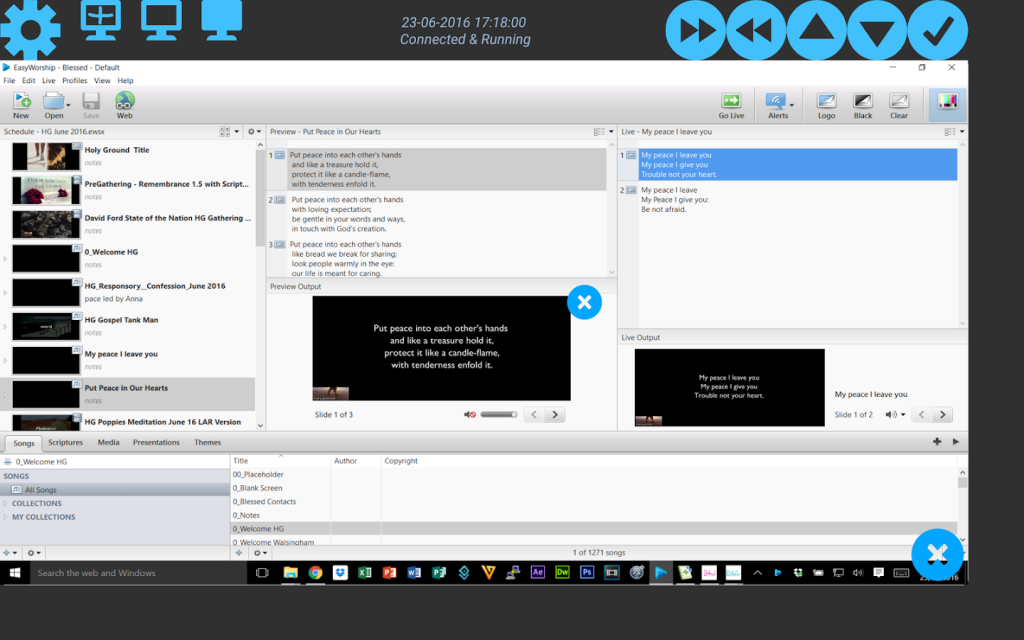
** Please note that this app is unofficial and has no connection with any commercial presentation software. I am sure it can drive a number of presentation tools, but it is focused on my favourite. **
Fr Simon's Remote Controller enables WiFi Control over your Presentation Software! My favourite is Prezi.
Connecting via the phone/tablet's hotspot or a local WiFi connection, this little app gives you control from your android device to a laptop running your Presentation Software (either web or desktop) and the little Java-based (1.8 and above) Server App which can be downloaded via: http://www.frsimon.uk/download/FrSRCInstall.exe
Installation instructions for the Server can be found at http://www.frsimon.uk/fr-simons-prezi-remote-controller/
FREE APP! No Adverts, or In-app Purchases: all I ask is for your prayers for me and my Ministry here in Plymouth, UK, call it PRAYERWARE if you like!
You can see a video of it in operation here: https://www.youtube.com/watch?v=ufje266-QA4
If there isn’t wifi in the area you are presenting, it can be better to set your phone/tablet up as a hotspot and then connect your PC to that. You will need to find out what IP address the phone has given the laptop, but going back into Settings on the Server App might reveal that.
Problems with Connection
===================
...are more often than not down to an issue with:
* Being on the wrong network, ie 3G and Wifi. They need to be the same, and it often works best if the laptop is actually connected to the phone’s hotspot.
* Firewalls – you might need to open the TCP Port you are using (default: 59019) for incoming and outgoing traffic
About Fr Simon's Unofficial Remote
The company that develops Fr Simon's Unofficial Remote is Fr. Simon Rundell. The latest version released by its developer is 2.0.
To install Fr Simon's Unofficial Remote on your Android device, just click the green Continue To App button above to start the installation process. The app is listed on our website since 2016-06-25 and was downloaded 0 times. We have already checked if the download link is safe, however for your own protection we recommend that you scan the downloaded app with your antivirus. Your antivirus may detect the Fr Simon's Unofficial Remote as malware if the download link to roborough.org.uk.preziremote is broken.
How to install Fr Simon's Unofficial Remote on your Android device:
- Click on the Continue To App button on our website. This will redirect you to Google Play.
- Once the Fr Simon's Unofficial Remote is shown in the Google Play listing of your Android device, you can start its download and installation. Tap on the Install button located below the search bar and to the right of the app icon.
- A pop-up window with the permissions required by Fr Simon's Unofficial Remote will be shown. Click on Accept to continue the process.
- Fr Simon's Unofficial Remote will be downloaded onto your device, displaying a progress. Once the download completes, the installation will start and you'll get a notification after the installation is finished.
Program Details
System requirements
Download information
Pricing
Version History
version 2.0
posted on 2016-06-25
Improved user interface. Change of branding so as not to breach trademark
Disclaimer
Official Google Play Link
We do not host Fr Simon's Unofficial Remote on our servers. We did not scan it for viruses, adware, spyware or other type of malware. This app is hosted by Google and passed their terms and conditions to be listed there. We recommend caution when installing it.
The Google Play link for Fr Simon's Unofficial Remote is provided to you by apps112.com without any warranties, representations or guarantees of any kind, so access it at your own risk.
If you have questions regarding this particular app contact the publisher directly. For questions about the functionalities of apps112.com contact us.
